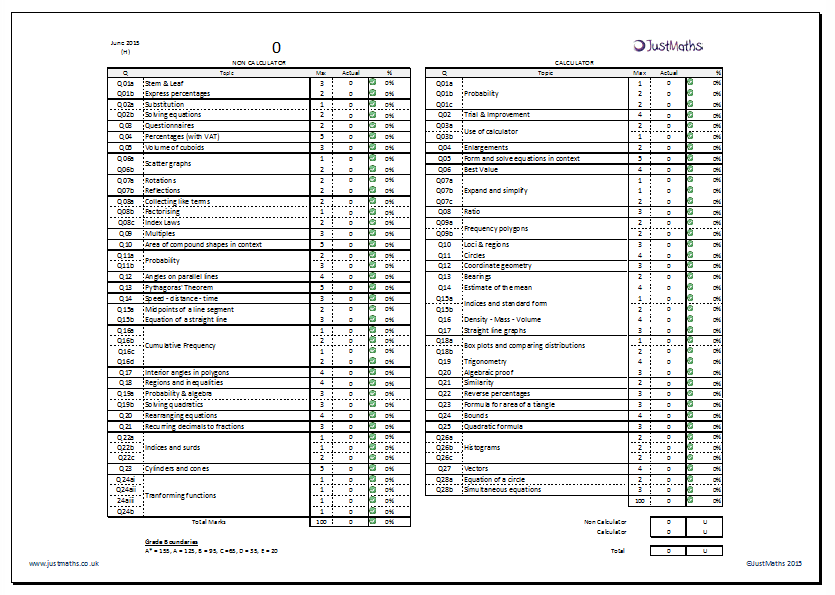
 Once again I’ve put together some templates for you to import your ResultsPlus data into if your students did the Edexcel 1MA0 series in June. It makes it easy to produce each students question level analysis on one sheet (rather than the, what seems like 100’s from the ResultsPlus service online!) for each student. Here are the instructions – > ResultsPlus Instructions – June 2015 .. its easy and takes seconds.
- Higher Template: 2015 06 June ResultsPlus Higher – Original
- Foundation Template: 2015 06 June ResultsPlus Foundation – Original
Version 2.0 with funky macros:
There is also an additional version with some extra functionality to print multiple sheets (the brilliant Paul Pavlou (@UKMathsTeacher) did some tweaking on my original ones – a couple of years ago. You must enable macros when asked on opening the two below – This “with macros” version includes 2 “buttons” that allows you to create a tab for each of your students or to create the tabs and print them all off.
- Higher Template: 2015 06 June ResultsPlus Higher – with macros
- Foundation Template: 2015 06 June ResultsPlus Foundation – with macros
PS: Blown away by the response to last nights post … so much so I’ve come over all bashful .. but thank you!!

Hi Mel. Sorry to be a pain but the question numbers on the higher sheet with macros don’t tie up with the questions in the exam. The question numbers are different on the sheet where the data is entered than on the analysis sheet
Corrected version attached – it (hopefully!) wont have made any difference to the rest of the analysis. x
Hi,
When I click on either of the “buttons” nothing happens?
I have Macros enabled, any idea what I am doing wrong?
you need to ensure that there is data in the calc and non calc sheets – I’ve just done it with putting a couple of names in the 1st and 2nd columns with 1 mark on a couple of questions and it worked.
Hi – there doesn’t seem to be any macros or student sheets on the Foundation one. Thanks
I’ve just added it – not sure what happened there! oops